
Browser context
Browser Extension
Check the current page, request a website release or prepare an app request without first navigating through the portal.
The browser extension brings selected URL checks, Service Tunnel Check and structured requests to the current page. The portal remains the central place for access and request status.
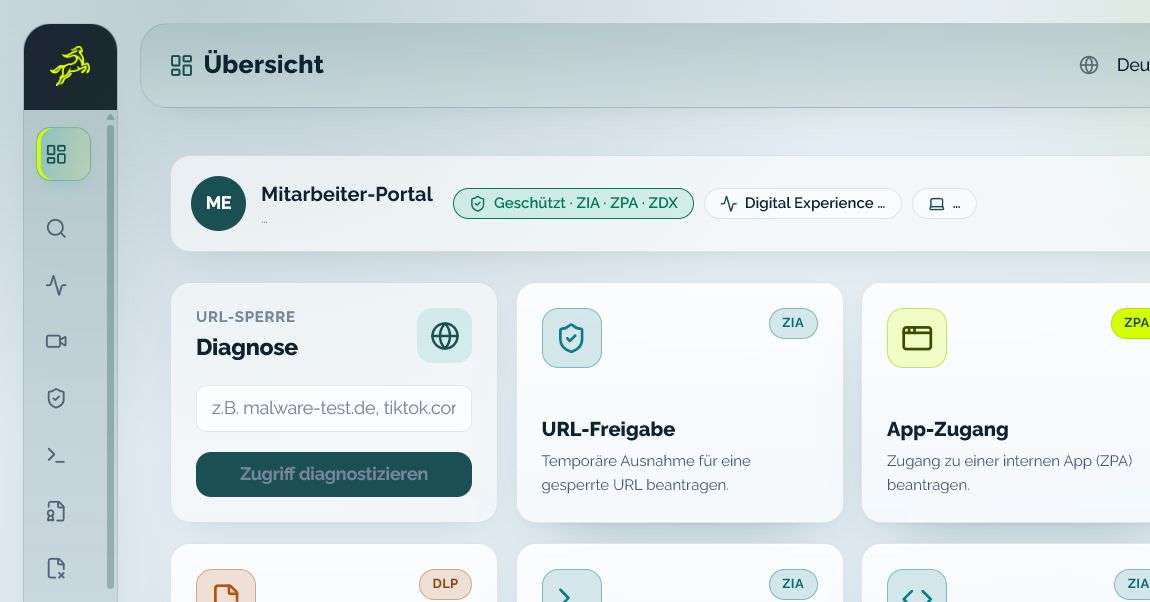
Check the current page, request a website release or prepare an app request without first navigating through the portal.
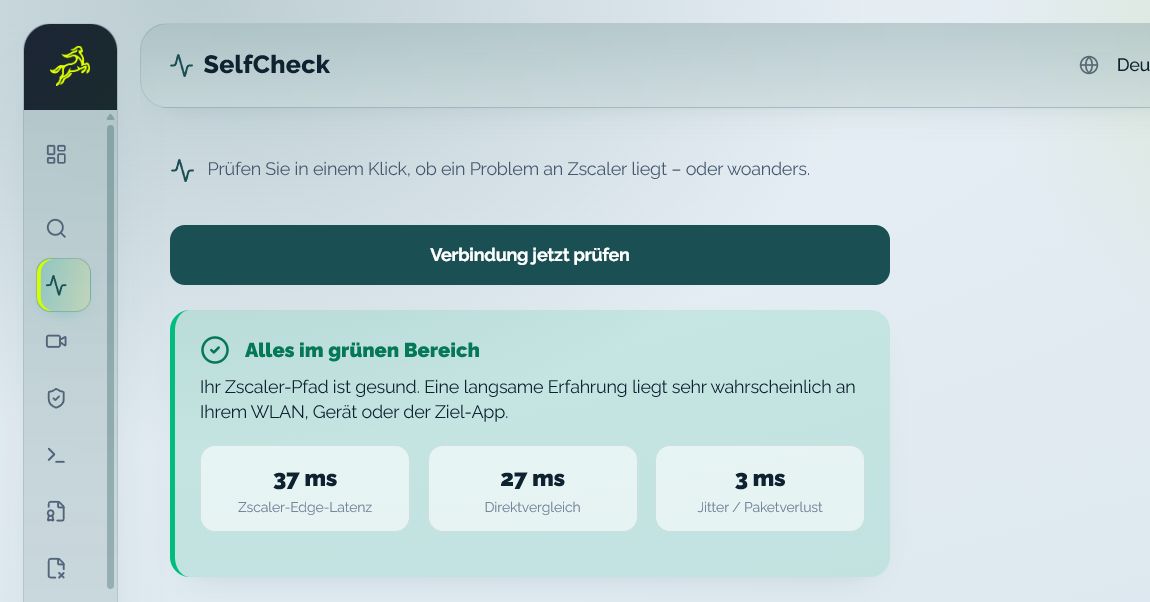
Assess service reachability and connection context before a support case or an important call.
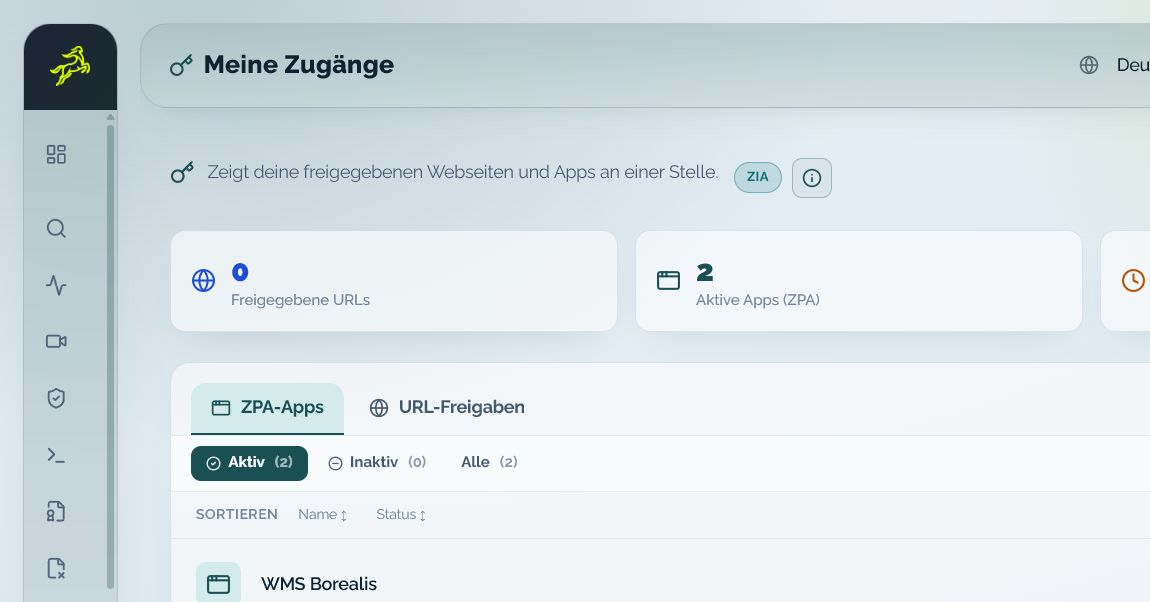
Keep approved websites, applications, validity and request status visible.
Use the full self-service portal for access history, active requests and additional role-enabled functions.
Self-service does not make security decisions. It provides the right information and the permitted next action at the moment a question appears.
Start diagnosis or a request directly from the browser context.
Receive the URL, tunnel and request context when personal support is needed.
See the business reason, requested duration and affected resource together.
The extension processes the current tab URL only after a deliberate user action, without browsing history or permanent background streaming.
The workflow connects orientation, permitted user action and understandable request status.
Check the current URL, connection and visible symptom.
Use self-help or request time-limited access with a reason and desired duration.
Distinguish open, approved, rejected and expired requests.
Service Tunnel Check brings available edge, direct-comparison and connection-quality context together. Users and help desk receive a practical starting point for the next action.
The interface shows the functions enabled for the user, tenant and package.

The browser extension makes selected actions easier for users working in a network protected by Zscaler.
Bring one recurring operating situation. We will map the roles, required context and appropriate demo path.
Depending on role, tenant configuration and package, the extension supports current-page checks, selected website, app and TLS requests, Service Tunnel Check, Conference Readiness and status views.
Not for each extension action. The portal remains the central overview for active access, request history and additional self-service functions.
No. It uses the currently open tab URL only after a deliberate action. Browsing history and permanent background streaming are not part of this workflow.
No. The user submits a structured request. The assigned role and the server-side tenant policy remain responsible for the decision.